Most businesses don't lose money because they lack software — they lose it because their software doesn't talk to itself. TERICSA ERP puts accounting, inventory, sales, purchasing, manufacturing, HR and reporting on one shared set of records.
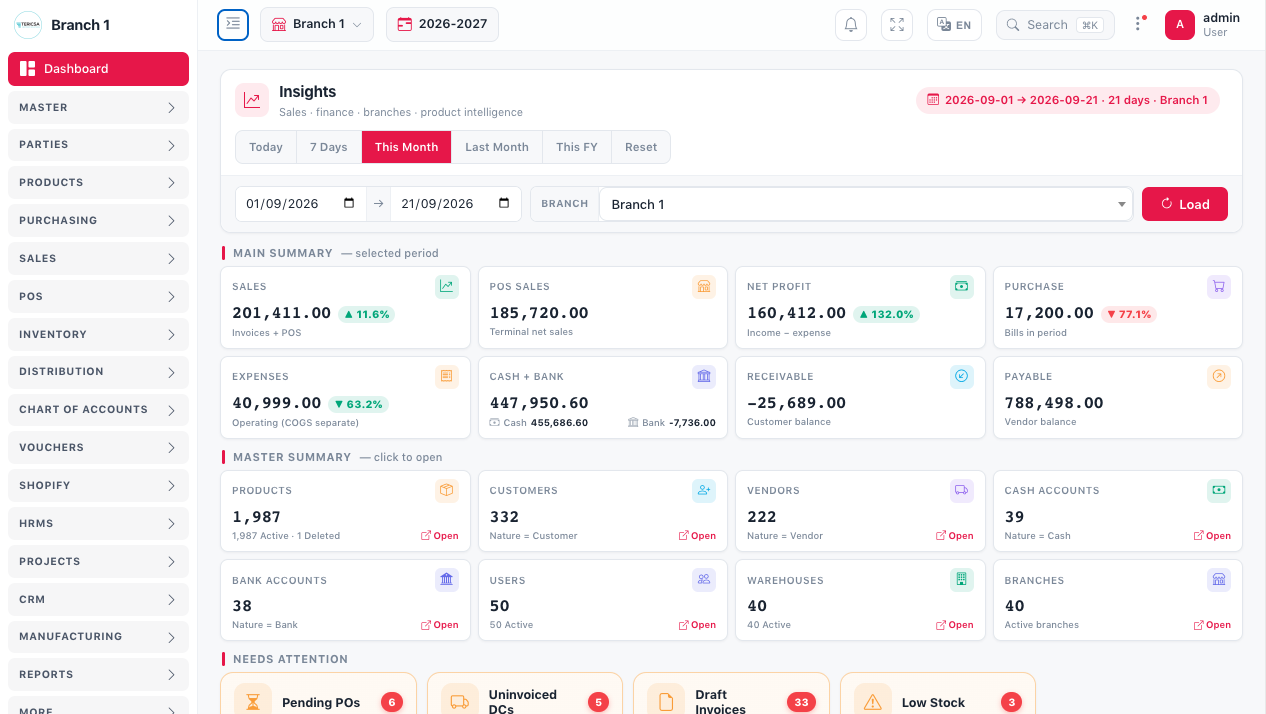
The TERICSA ERP dashboard brings operational and financial position into one view.
Trusted by 1000+ businesses across Pakistan






 Karachi Tiles
TERICSA ERP is browser-based enterprise resource planning software that runs a company's accounting, inventory, sales, purchasing, manufacturing, HR and reporting from one shared database. It is developed and supported in Pakistan by TERICSA (Private) Limited, established in 2015, and is used by more than 1000 businesses.
An ERP system is not simply a larger accounting package. The defining characteristic is that every department writes to and reads from the same records, so a transaction entered once is immediately visible everywhere it matters. When a sale is recorded, stock, receivables, tax and management reporting all reflect it — without anyone re-keying the same information into a second system.
That single property is what separates an integrated ERP system from a collection of separate business software. It is also what makes ERP worth evaluating carefully: the value comes from how well the system fits the way your business actually works, not from the length of its feature list.
The shortest honest description of an ERP system is what happens to a single transaction after it is entered.
In a disconnected setup, one sale is typically entered three or four times: once in a sales register, again in a stock sheet, again in accounts, and often a fourth time in a management report. Each re-entry costs time and introduces the possibility of a different number. In an integrated system the entry exists once and every view is derived from it.
Sales quotes what the stock sheet says. Purchasing buys against what sales expects. Accounts reconciles what actually moved. When those three live in separate files, the differences between them surface at month end — long after they could have been acted on. A connected system removes the gap rather than reconciling it later.
Because the underlying records are shared, management reporting is generated from live data rather than compiled manually. The practical difference is timing: decisions can be made on this week's position rather than last month's summary.
These are the operational issues businesses most often describe before moving to an integrated system.
Each module is useful on its own, but the reason to run them together is the connection between them.
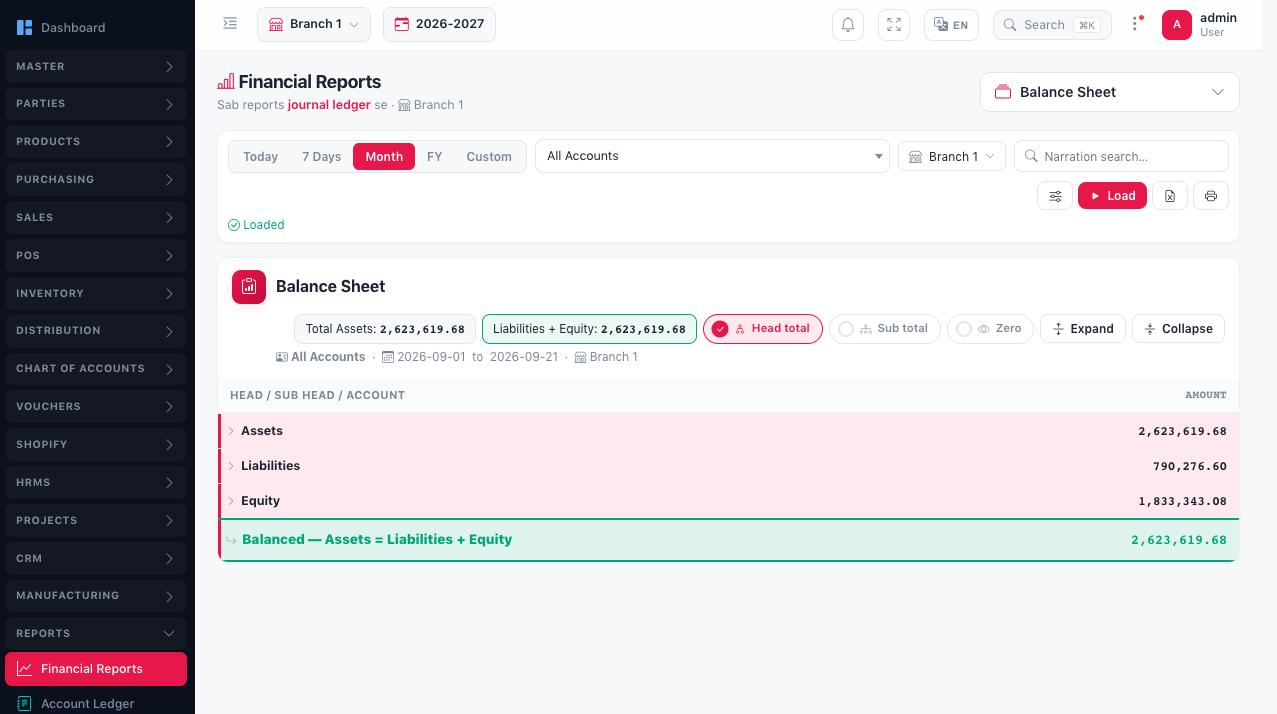
Cash, banks, receivables, payables, vouchers, ledgers and financial statements — receiving postings from sales, purchase and payroll rather than being maintained separately.
Stock across warehouses, transfers, adjustments, damages and movement history — updated by sales, purchase and manufacturing as those transactions are posted.
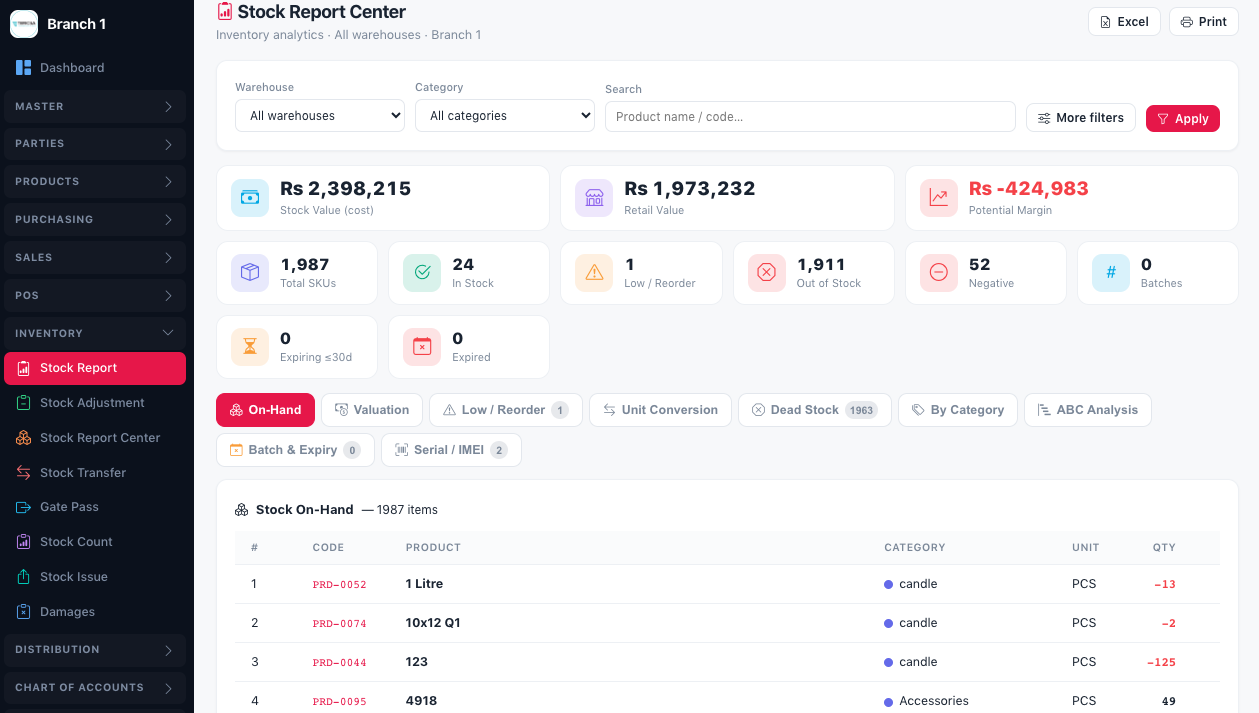
The complete order-to-invoice and procure-to-pay cycle. Sales drives stock issue and customer receivables; purchase feeds stock receipts and supplier payables.
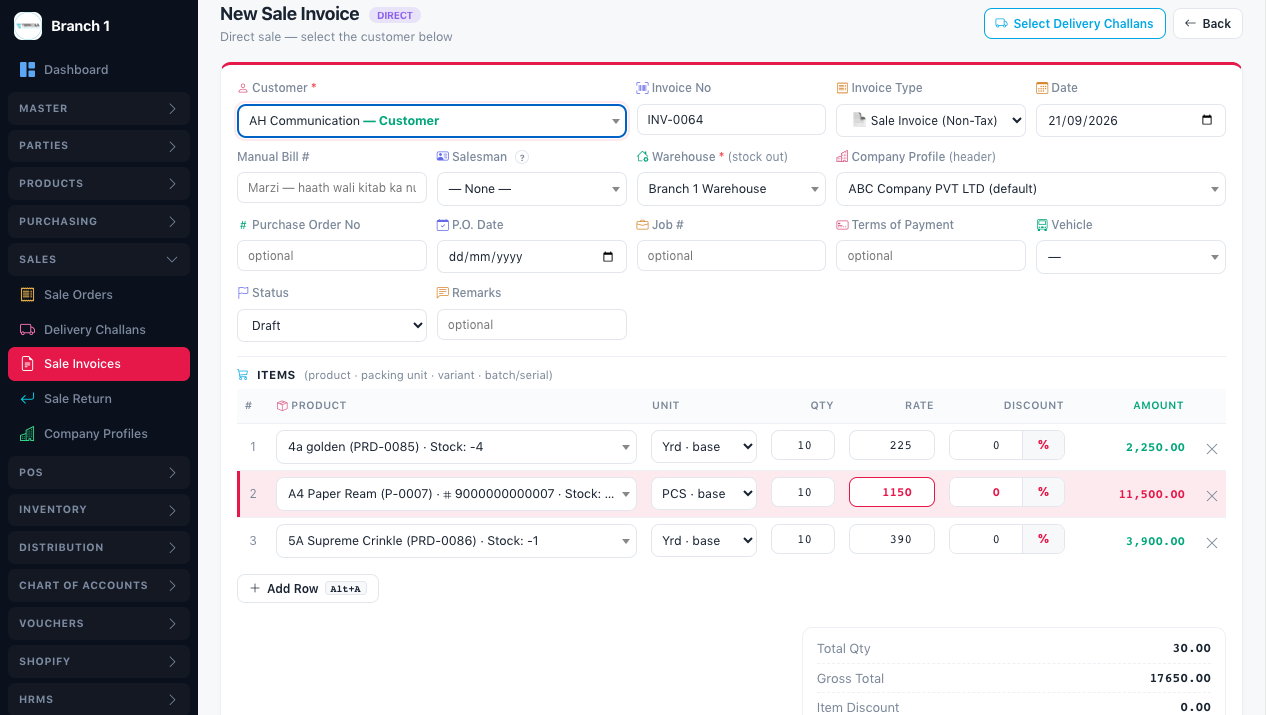
Raw materials, production processes, finished goods, costing and production records — consuming raw stock and producing finished stock and cost within the same system.
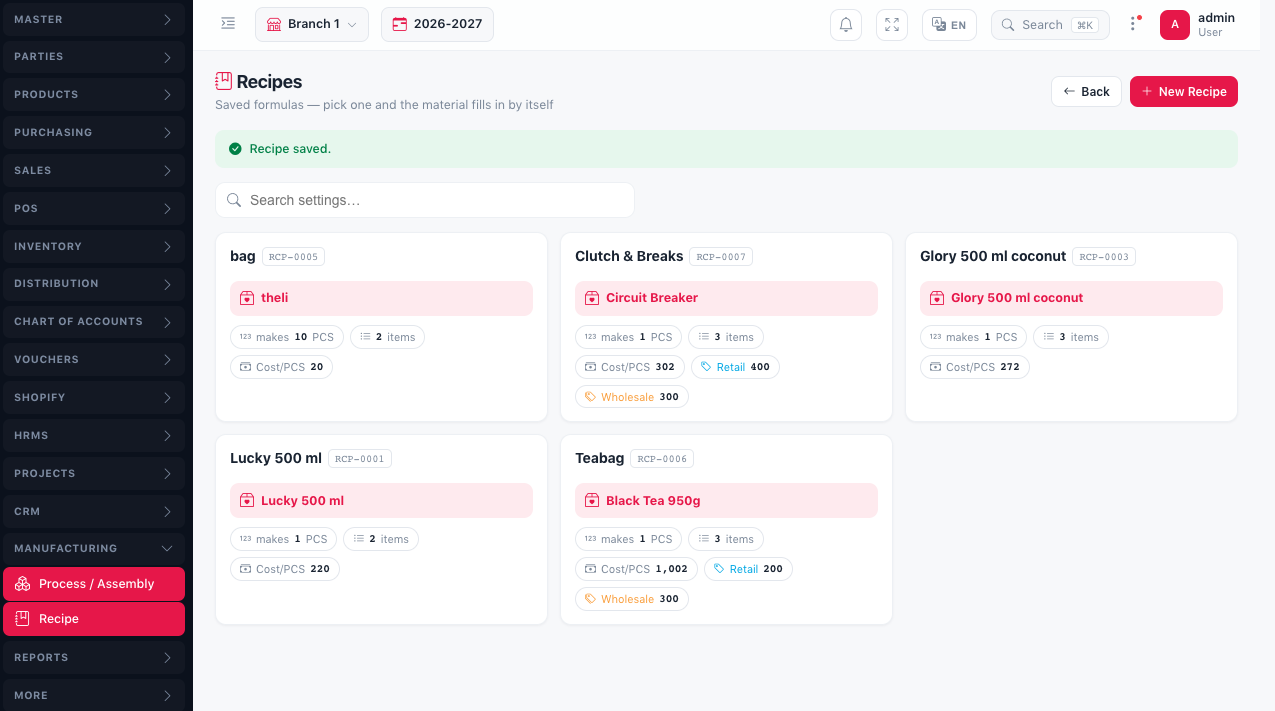
Employee records, attendance, shifts, leaves, payroll and payslips — with salary cost posting into accounts rather than being reconciled separately.
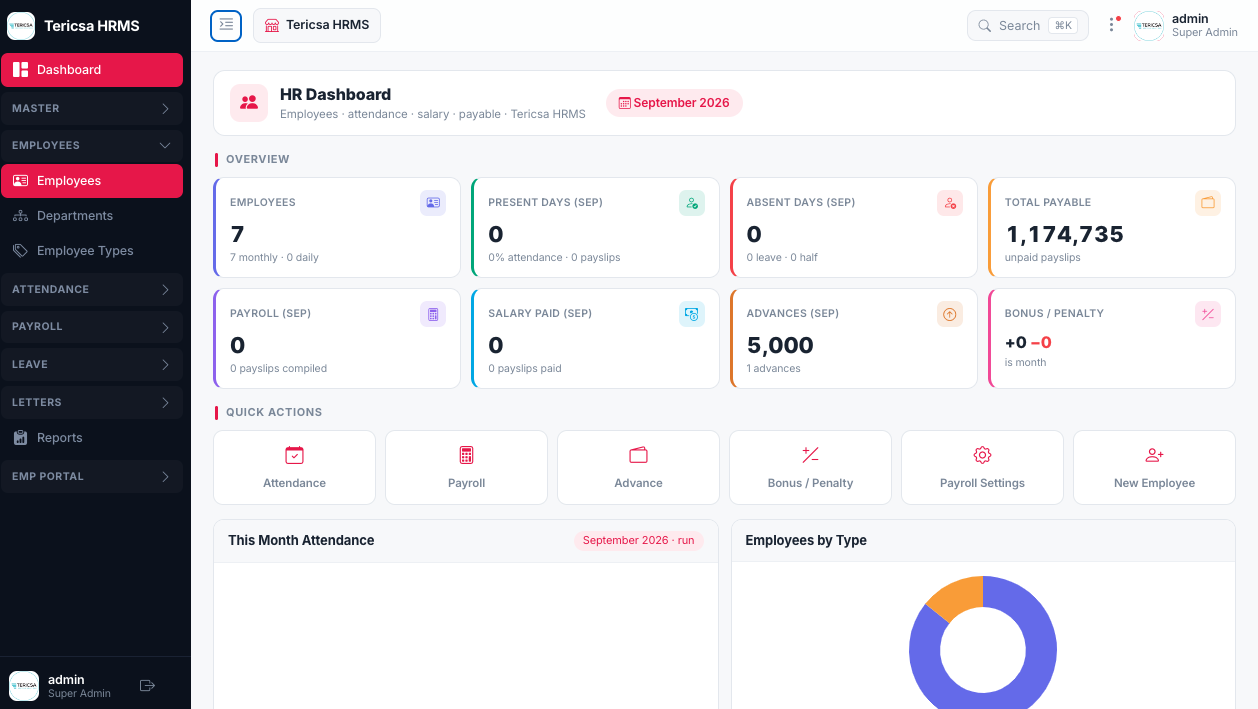
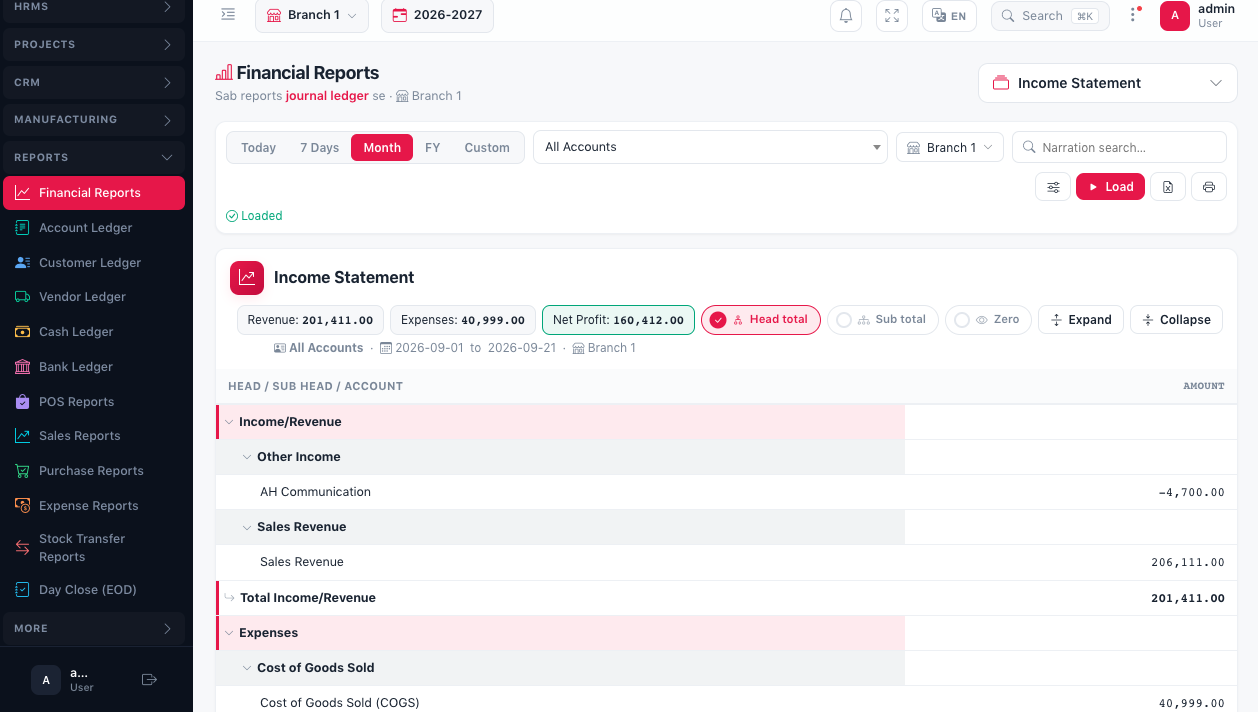
Operational and financial reporting for management review, reading live data from every other module instead of compiled exports.
Suppliers, purchase orders, goods receiving, purchase invoices and returns.
Feeds stock receipts and supplier payablesProjects, tasks, costs, activities and progress tracking.
Collects cost from purchase, stock and payrollBusiness asset records and their operational information.
Linked to purchase and accounting recordsVehicles, logistics records and related operational activity.
Connected to deliveries and operating costLarger businesses rarely fit a single-company, single-location model. TERICSA ERP is built to reflect the structure a business already has, rather than requiring it to simplify.
The ERP runs in a web browser, so staff do not need software installed on each machine. It also supports offline browser operation, which matters in practice: work continues during a connectivity interruption rather than stopping until the link returns.
TERICSA ERP is deployed on a dedicated VPS rather than shared infrastructure, so the environment is not competing with unrelated workloads.
Two Android applications are available for roles that work away from a desk: Order Booking for field sales, and an HR Portal for employee-facing HR functions. These are companion apps for those particular workflows — the full ERP itself is the browser-based system, not a mobile application.
Standard ERP packages assume a standard business. In practice, the processes that make a company competitive are usually the ones that differ from the template. TERICSA ERP is built to be adapted rather than worked around.
Approval sequences, document routing and process steps can be configured to match existing authority levels instead of forcing a change in how decisions are made.
Business-specific modules and reports can be developed where a requirement is not covered by the standard system — including print formats and document layouts.
Integrations with other systems can be built as required, and user permissions are set by role so staff see the functions relevant to their work.
Because customisation requirements differ from one business to another, scope is agreed during the discovery stage of implementation rather than assumed in advance.
An ERP system used in Pakistan has to satisfy tax reporting obligations as part of normal operation, not as a separate task afterwards.
Sales invoicing aligned to the Federal Board of Revenue's digital invoicing requirements.
Point-of-sale integration with FBR for applicable retail operations.
Punjab Revenue Authority requirements.
Sindh Revenue Board requirements.
Because invoicing sits inside the same system as inventory and accounts, compliance is produced by the transaction itself rather than assembled from exported data.
The core system is the same across industries; what changes is configuration, workflows and reporting.
Industry-specific requirements — production costing for manufacturers, route and delivery handling for distributors, outlet-level control for retail — are handled through configuration and customisation rather than a different product.
Implementation is a structured process carried out with your team. The duration depends on business size, selected modules, data condition and customisation scope, so it is established during discovery rather than quoted upfront.
Your existing processes, departments, documents and reporting requirements are reviewed.
Modules, workflows, approvals, user roles and reporting needs are agreed.
Chart of accounts, items, warehouses, branches, companies, taxes and permissions are set up.
Business-specific modules, reports, print formats and integrations are developed where required.
Existing data — customers, suppliers, items, opening stock and opening balances — is migrated from your current data or system.
Each department is trained on the functions its staff will actually use.
The business moves onto the system with support through the first operating cycle.
Continued support, changes and additions as the business evolves.
This section is written to be useful regardless of which vendor a business selects. These are the factors that determine whether an ERP implementation succeeds.
A long feature list is less important than whether the system handles your actual documents, approvals and exceptions. Ask to see your own workflow demonstrated, not a generic demo.
Confirm that modules share one database rather than syncing between separate products. Ask what happens to stock and accounts when a single invoice is posted.
Establish whether changes are possible, who develops them, and how requests are handled after go-live — not only during the sales stage.
Identify the specific reports decisions depend on, and verify those can be produced from live data.
If you operate multiple companies, branches, warehouses or currencies — or expect to — confirm the system supports that structure natively.
Tax and statutory reporting should be a product of normal transactions. Check FBR digital invoicing and relevant provincial requirements specifically.
Ask who performs implementation, how existing data is migrated, and what training is included. Most ERP failures are implementation failures, not software failures.
Confirm support hours, language, response method and whether the team is local. Software you cannot get help with is software you will stop using.
ERP and business software experience you can verify
Established in 2015 — a decade of ERP implementation experience in the Pakistani market.
Used by more than 1000 businesses across a range of industries.
Customisable — modules, workflows, reports and integrations built around your processes.
Works online and offline in the browser, so operations continue during connectivity interruptions.
Implementation carried out locally, including configuration, data migration and departmental training.
Support in English and Urdu, Monday to Saturday, 11:00 AM to 9:00 PM Pakistan time.
Office in Karachi — free onsite demo in Karachi, and online demos for businesses elsewhere in Pakistan.
Compliance built in — FBR Digital Invoicing, FBR POS, PRA and SRB.
The software is user-friendly, reliable, and highly customizable. The best part is their excellent post-deployment support, which is very important for any organization.
Rather than a generic walkthrough, we can demonstrate the system against how your business actually operates — your documents, approvals and reports.